Change a plan from monthly to yearly or another schedule
Change future schedule entries without changing earlier history.
Fast answer
Yes. You can change a plan from monthly to yearly, weekly, semi-monthly, once, or another supported schedule without changing the schedule that came before the new start date.
When you save a plan with a new future start date, Foreseenly keeps the plan behavior before that date as-is. The new schedule only replaces forecast entries beyond the new start date.
How to change the schedule safely
- Open the plan you want to change.
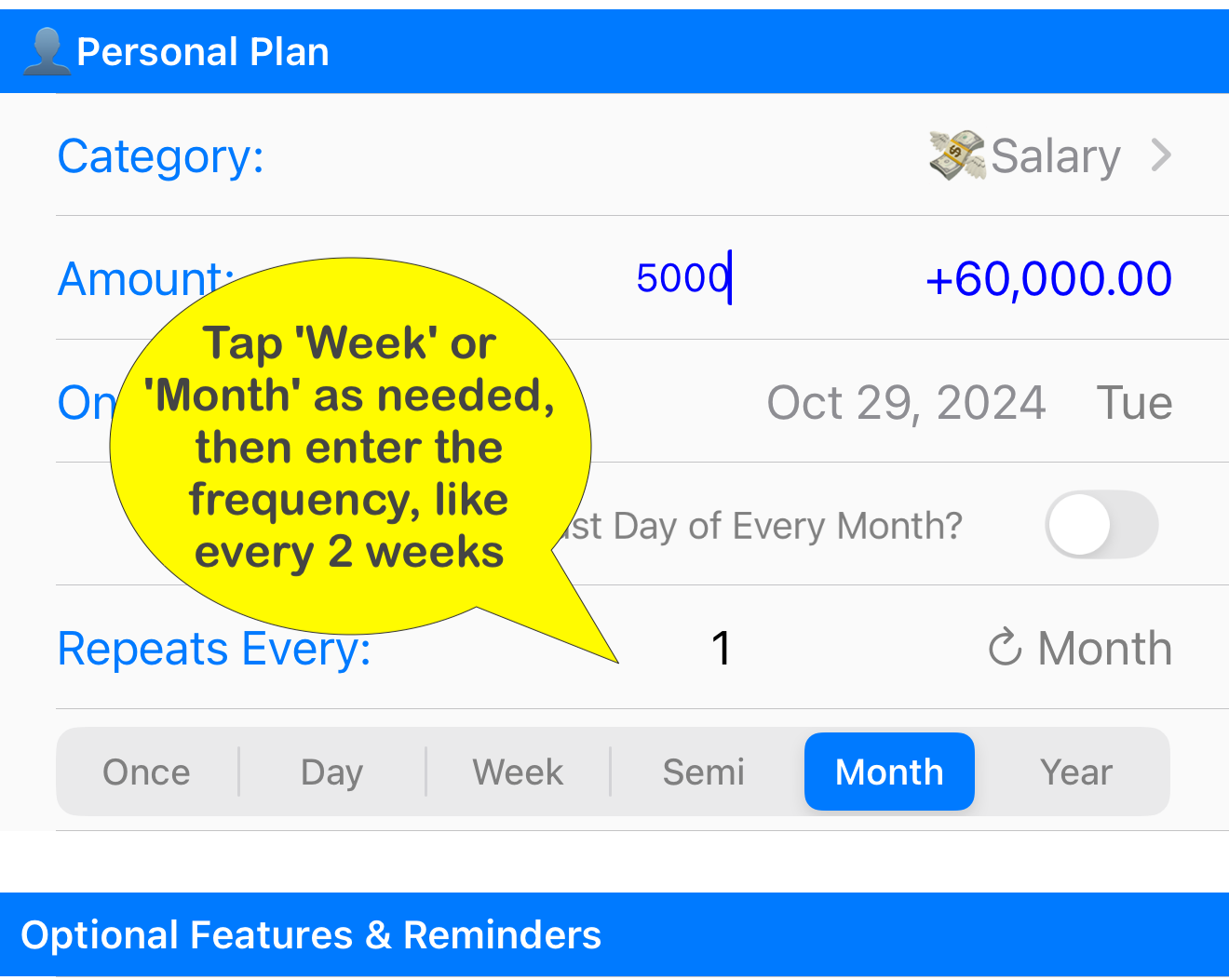
- Choose the new schedule under Repeats Every, such as Year for a yearly plan or Week for weekly income.
- Set the new start or next date to the first date the new schedule should apply.
- Review the amount, account, transfer, and auto-clear settings.
- Save the plan.
You can do this more than once. Each time, the new start date becomes the point where the newer schedule takes over. Earlier schedule entries and processed history stay tied to the schedule that existed before that date.
If you want to keep the old schedule visible
Changing the plan updates the plan's current schedule. It does not keep a separate visible copy of the old schedule on that same plan for later reference.
If you want the original schedule to remain easy to look up, use a different approach: set an end date on the current plan before the new schedule begins, then create a new plan with the new schedule from the next start date. Since version 1.17.0, you can copy the existing plan instead, then adjust its schedule and start date to make this faster.
If you feel uneasy
Test the change in COPY Data first. COPY Data is a snapshot of LIVE Data for experimentation, so changes there do not affect your real LIVE records. COPY Data cannot be merged back into LIVE Data, so use it only to confirm what the forecast will do before making the real change.
Related help
- Setting an End Date on a Plan explains how to preserve the old plan as its own reference before starting a new schedule.
- Add a new Plan / Bill / Forecast explains the schedule options for new plans.
- DEMO vs LIVE vs COPY explains how to test safely away from LIVE Data.
Was this article helpful?
Your vote helps QApps find articles that need clearer steps or better screenshots.
What was missing?