How to Setup an Asset with Appreciation
Tying your Lender and Your Asset together!
Overview
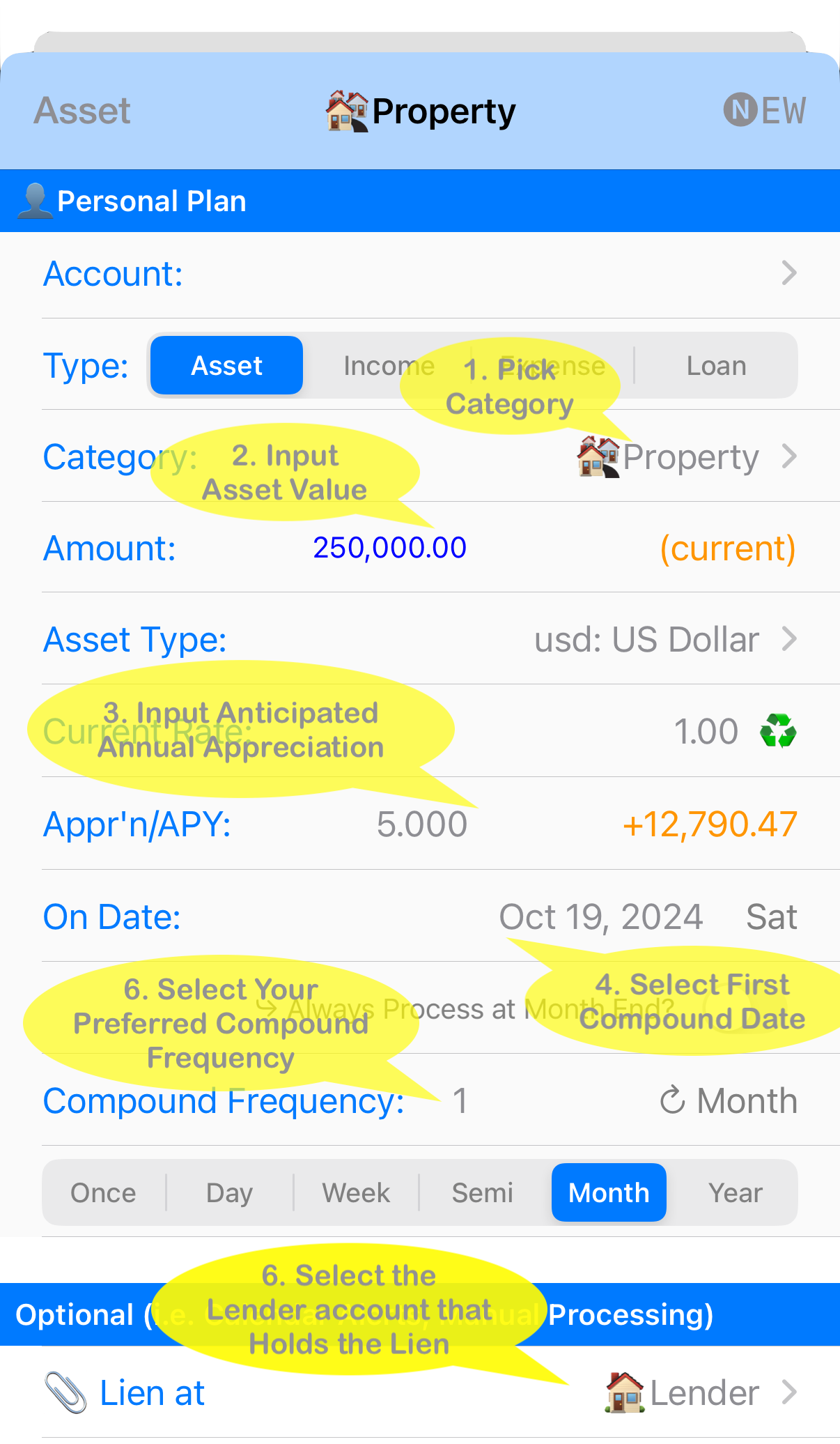
After setting up a mortgage payment in your Personal Account, you can link it to an Asset (like your Property). Once done, you’ll not only be able to view your Amortization schedule (showing your principal and interest payments) under the selected Lender account, but you’ll also see the Property's Asset Appreciation automatically.
It only takes a few simple steps!
Need more help? Search this product's help articles, share a product idea, or send a ticket if you still need help.
Was this article helpful?
Your vote helps QApps find articles that need clearer steps or better screenshots.
What was missing?