How to disable the widget's Clipboard feature
CALC's widget has an automation function for your device's clipboard....
Overview
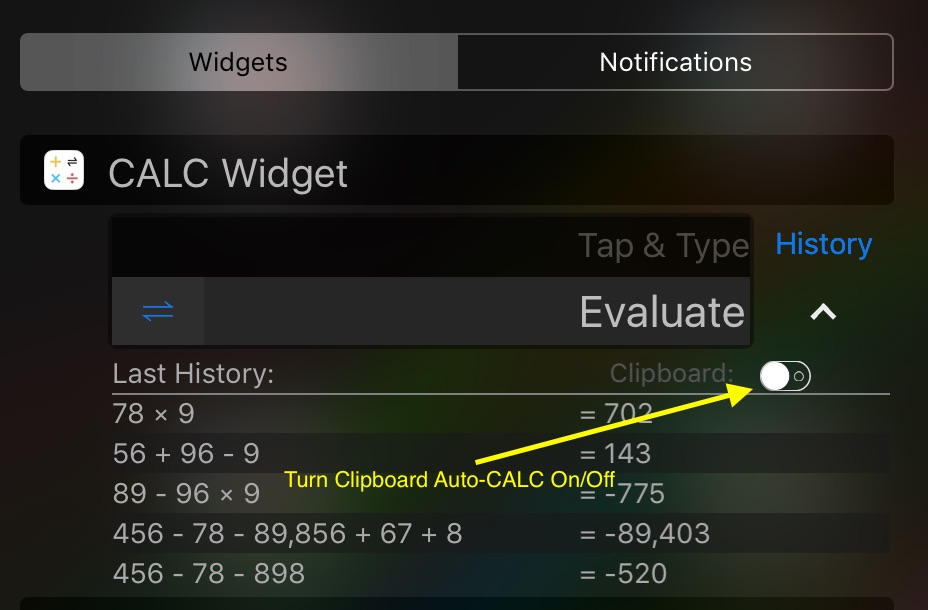
CALC's widget has an automation function for your device's clipboard. It will try and evaluate anything that is currently in memory to save you time. By tapping on the current content of your clipboard in the widget, it will be cleared and ready to punch in your own expressions.
If you'd rather disable this feature you can do so with a simple switch. Expand History first by taping the down arrow next to Evaluate then tap on the switch to turn it off:
Need more help? Search this product's help articles, share a product idea, or send a ticket if you still need help.
Was this article helpful?
Your vote helps QApps find articles that need clearer steps or better screenshots.
What was missing?