FAQ: Copy / Paste and Clipboard
The Share/Copy feature available when you tap on the results is designed for external sharing between CALC users....
Overview
The Share/Copy feature available when you tap on the results is designed for external sharing between CALC users. It includes a quick link so you don't have to copy and paste. If you'd like to use the Clipboard just for the result, just tap the ">" arrow to the right of your result:
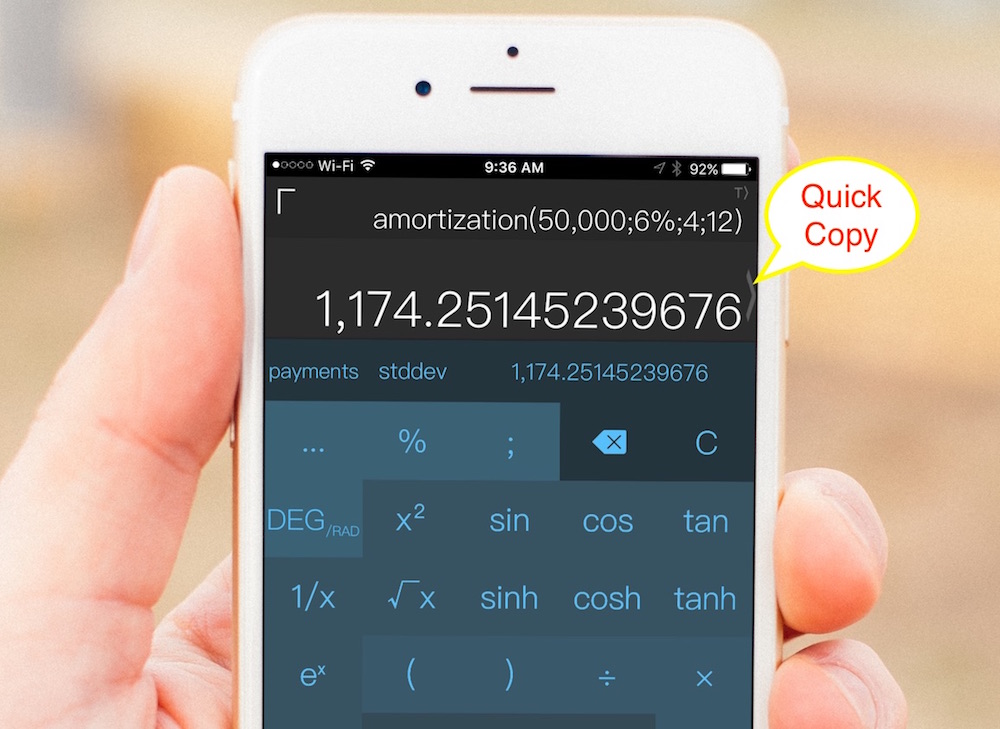
The best practice for reusing your results is by utilizing the "ans" button so that you avoid the tedious Copy / Paste via Clipboard. Any time you tap "=" the answer gets saved to History and can be recalled from there directly or from the quick answer list... The "ans" button holds the last answer + if you Tap & Hold the button it will present a list of the last few answers available for quick reuse.
Finally, you can also use the tape-roll landscape functionality for "accounting" style inputs or the aggregate feature of CALC's History...
Happy CALCing!
Related:
Was this article helpful?
Your vote helps QApps find articles that need clearer steps or better screenshots.
What was missing?