Financial Custom Functions
This section includes a growing list of functions you can easily add to your CALC app with just a tap on a link!...
Overview
This section includes a growing list of functions you can easily add to your CALC app with just a tap on a link!
Let us know of any essential functions you'd like to add or share a function you've created by emailing it to [email protected]
* To Share a function tap Clear first, select your Custom Function from the list and just tap the results area selecting "Custom Advanced Function" ... Share will show as an option there.
Financial Functions:
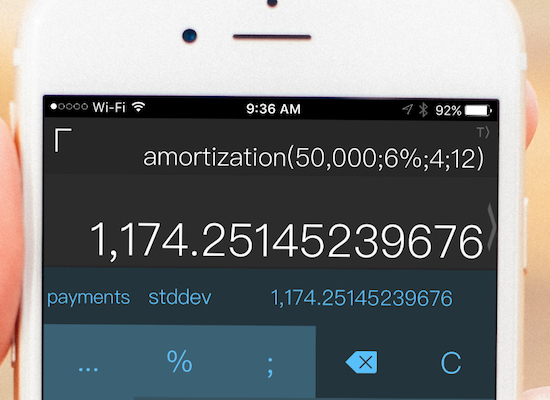
Amortization (monthly payments):
Sample use: amortization(10,000; 6%; 4; 12)Instructions: amortization(Principal amount; Interest rate; Number of periods (e.g. years); Payments per period (e.g. months))
Tap here once to add to your device (the function will show in a few seconds under the Custom list)
Num. of Credit Card payments:
payments(Balance; Monthly payment; APR)Tap here once to add to your device (the function will show in a few seconds under the Custom list)
Related Topics:
How to Add new Custom Advanced Function myself?
Was this article helpful?
Your vote helps QApps find articles that need clearer steps or better screenshots.
What was missing?