How to Define new Custom Advanced Functions?
Note: To Delete or Edit a custom function you need to clear the input first via the C/AC button, followed by selecting your function from the Custom list......
Overview
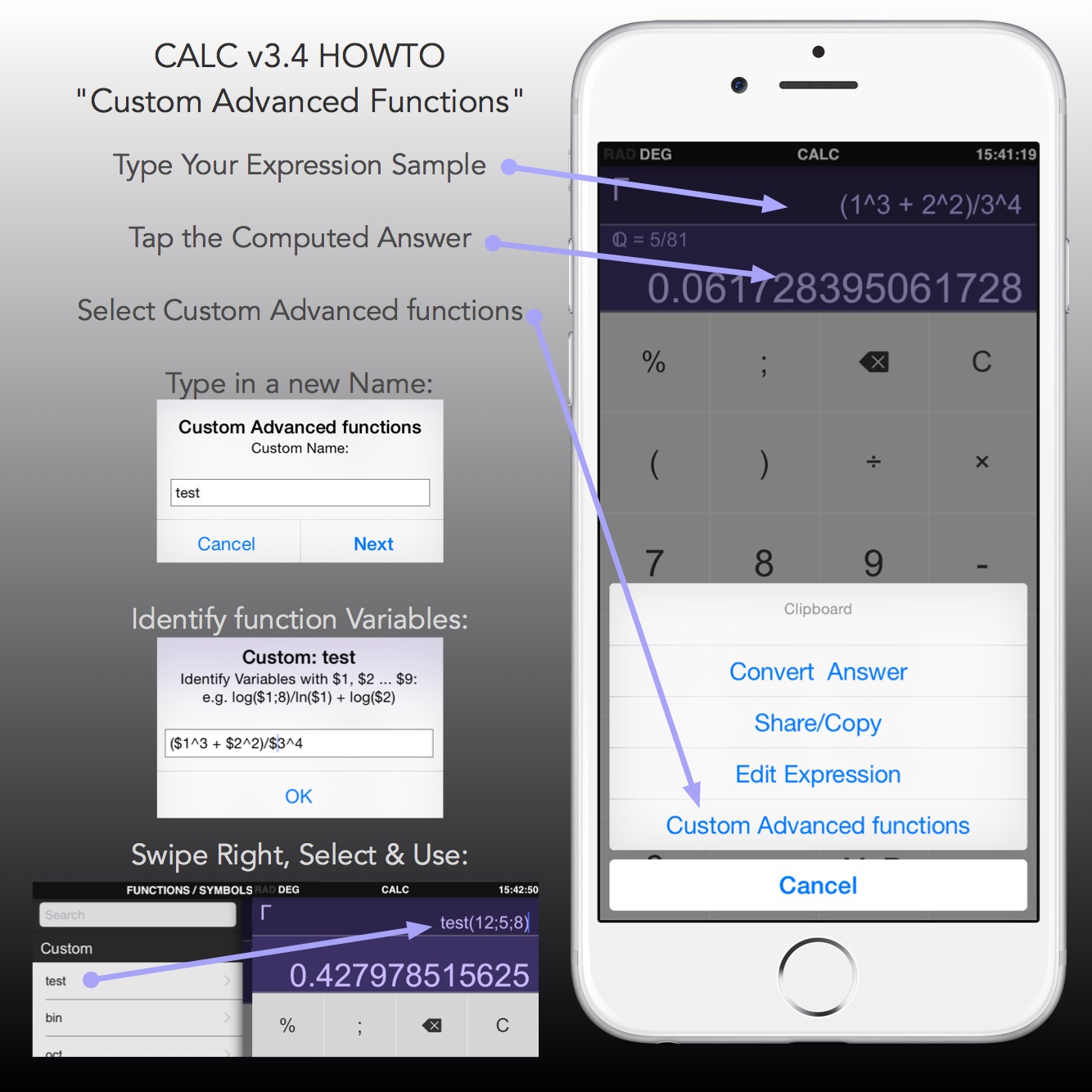
Note:
To Delete or Edit a custom function you need to clear the input first via the C/AC button, followed by selecting your function from the Custom list... then when you tap the answer area to get to the Custom Advanced Function menu, you will see options to Edit or Delete the specified function.
To Delete or Edit a custom function you need to clear the input first via the C/AC button, followed by selecting your function from the Custom list... then when you tap the answer area to get to the Custom Advanced Function menu, you will see options to Edit or Delete the specified function.
Need more help? Search this product's help articles, share a product idea, or send a ticket if you still need help.
Was this article helpful?
Your vote helps QApps find articles that need clearer steps or better screenshots.
What was missing?