How to add other conversion categories (Currency, Mass etc.) to the Apple Watch App
The Apple Watch App will reflect what is setup in CALC on your iPhone when you setup the converter feature: The easiest way in is by swiping down on your calcul...
Overview
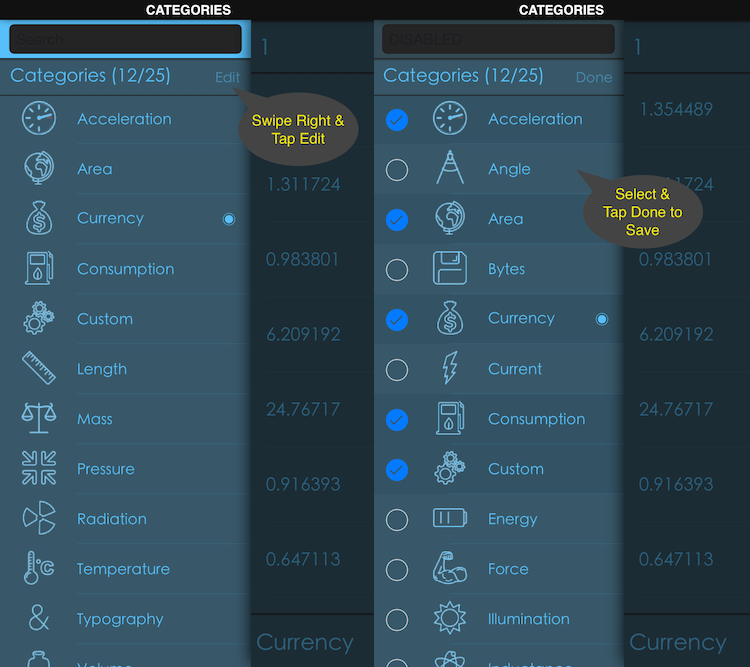
The Apple Watch App will reflect what is setup in CALC on your iPhone when you setup the converter feature:
- The easiest way in is by swiping down on your calculation result (answer) or by taping the answer and selecting to Convert from the list.
- Once in, you can swipe right and tap Edit at the top of the Categories to define your preferences.
Need more help? Search this product's help articles, share a product idea, or send a ticket if you still need help.
Was this article helpful?
Your vote helps QApps find articles that need clearer steps or better screenshots.
What was missing?