FAQ: How to set the wallpaper / background image?
Tap "Options" in the top Left Corner in CALC, then go to Themes and select "Custom Theme" from the list....
Overview
Tap "Options" in the top Left Corner in CALC, then go to Themes and select "Custom Theme" from the list.
You'll be presented with the following screen where by tapping on "IMG" you can select (and scale) your own background image to your liking:
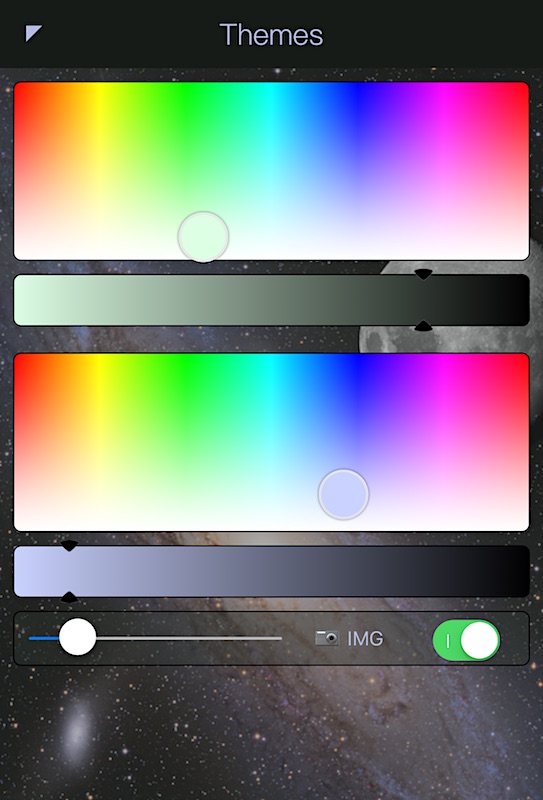
* The switch will disable the background image all together.
Related:
Need more help? Search this product's help articles, share a product idea, or send a ticket if you still need help.
Was this article helpful?
Your vote helps QApps find articles that need clearer steps or better screenshots.
What was missing?